Blog
Protecting Iceberg Data in Amazon S3 Tables Using Clumio
As Apache Iceberg adoption grows, resilient backup and recovery become core enterprise data management requirements.
Key takeaways
- Effective recovery of Iceberg tables requires preserving metadata, manifests, snapshots, and catalog consistency, not just the underlying S3 objects.
- Air-gapped backups help strengthen cyber resilience by providing an independent recovery point when data is deleted, corrupted, or compromised.
- Transactionally consistent recovery helps reduce business disruption by eliminating manual reconstruction of table metadata and dependencies.
- Cross-account and cross-region recovery options help improve operational flexibility and support business continuity planning.
- As Iceberg adoption grows for analytics and AI, backup strategies must evolve to address governance, recoverability, and long-term data resilience.
Iceberg Data Is More Than a Collection of S3 Objects
Iceberg tables rely on a set of table metadata, manifest lists, and manifests that must stay consistent with each other, and with the data catalog that points to the current table state. Those metadata files also reference underlying files by absolute path. So if any part of that structure is missing, out of sync, or restored to a different location or point in time, simply restoring a collection of S3 objects won’t give you a usable Iceberg table. The catalog may point to a missing or stale metadata file, and the metadata may reference files that were never restored or that no longer exist at the recorded paths.
This is where Clumio by Commvault comes in. Clumio provides an Iceberg-aware, air-gapped backup and recovery solution on AWS, helping protect both the underlying data and the Iceberg metadata needed to restore the table consistently.
In this post, I’ll show you step-by-step how to protect an Iceberg table stored in Amazon S3 Tables with Clumio and then recover that table from backup when you need it.
How Clumio Protects Iceberg Tables
Clumio includes purpose-built features to help protect Iceberg data on AWS, including metadata, schema, and snapshot lineage, enabling fast, reliable, and transactionally consistent recovery while eliminating or minimizing the need for any manual reconfiguration. Data can be backed up in-region or cross-region. Then it can be restored in-place to the same source table, or to a completely different table, account, or region.
Clumio supports self-managed Iceberg tables in AWS Glue Data Catalog as well as fully managed Amazon S3 Tables.
Backing Up an S3 Table With Clumio
Backup and restore processes can be API driven; however, the console is used here to better illustrate the capabilities. All the same actions are available through the Clumio REST API.
1) In the Clumio console, click AWS, Inventory, Apache Iceberg tables.
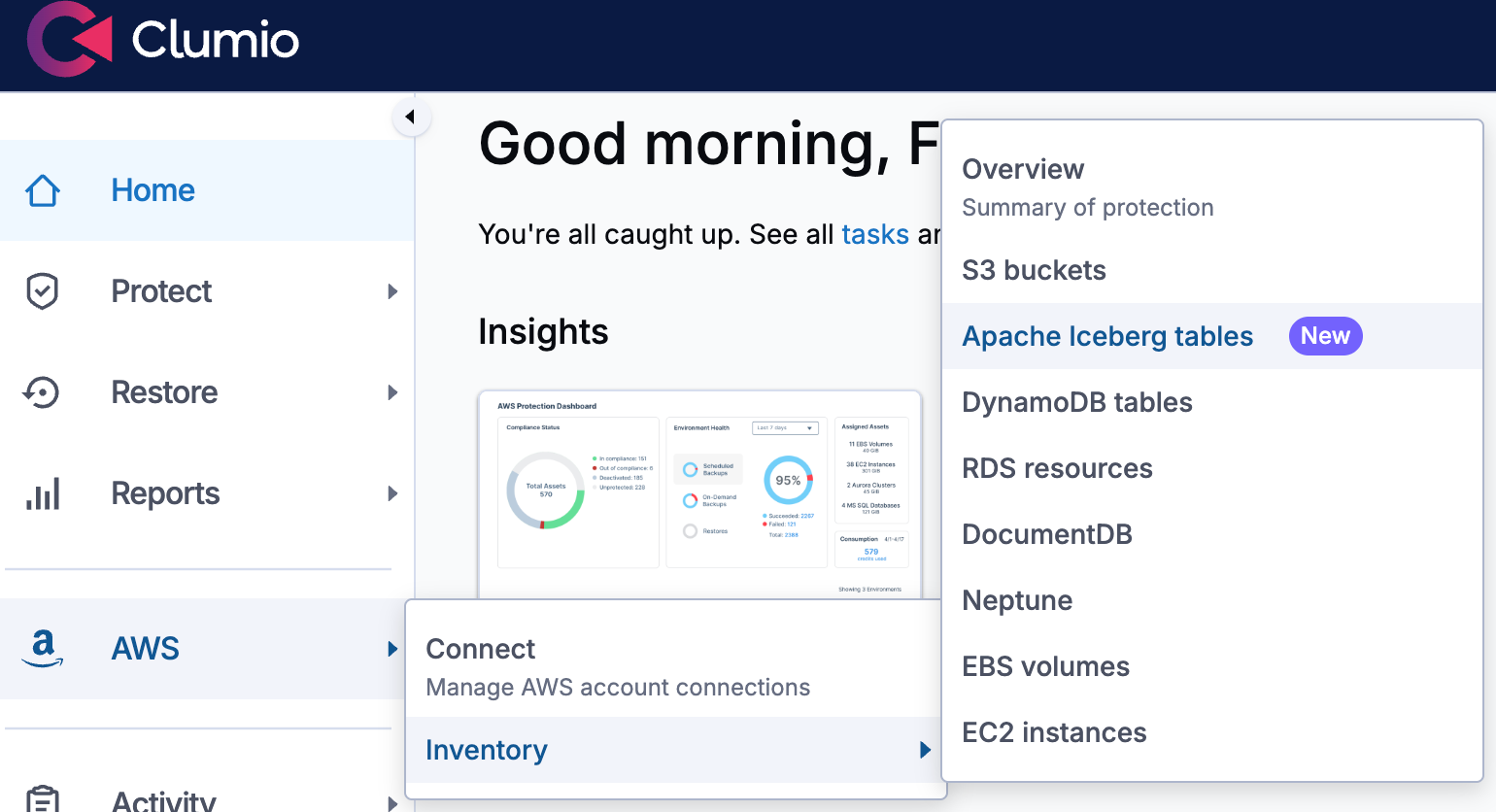
Locating the Iceberg tables inventory
2) On the S3 tables tab, locate the table that you want to back up. If it doesn’t appear in the list, click the refresh button to load the latest inventory data.
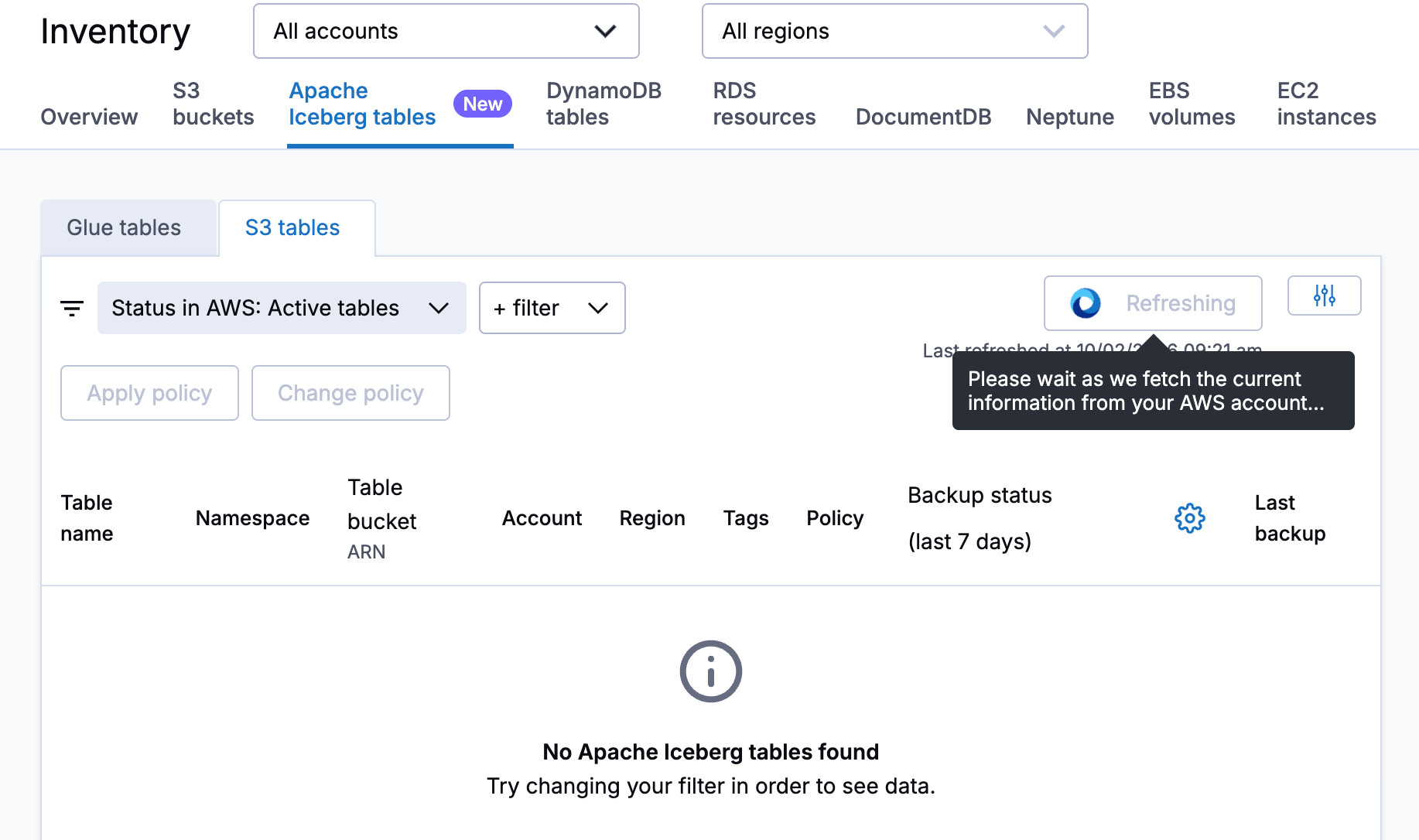
Refresh the inventory if the table does not appear immediately
3) After refreshing, any newly created S3 Tables should appear in the inventory.
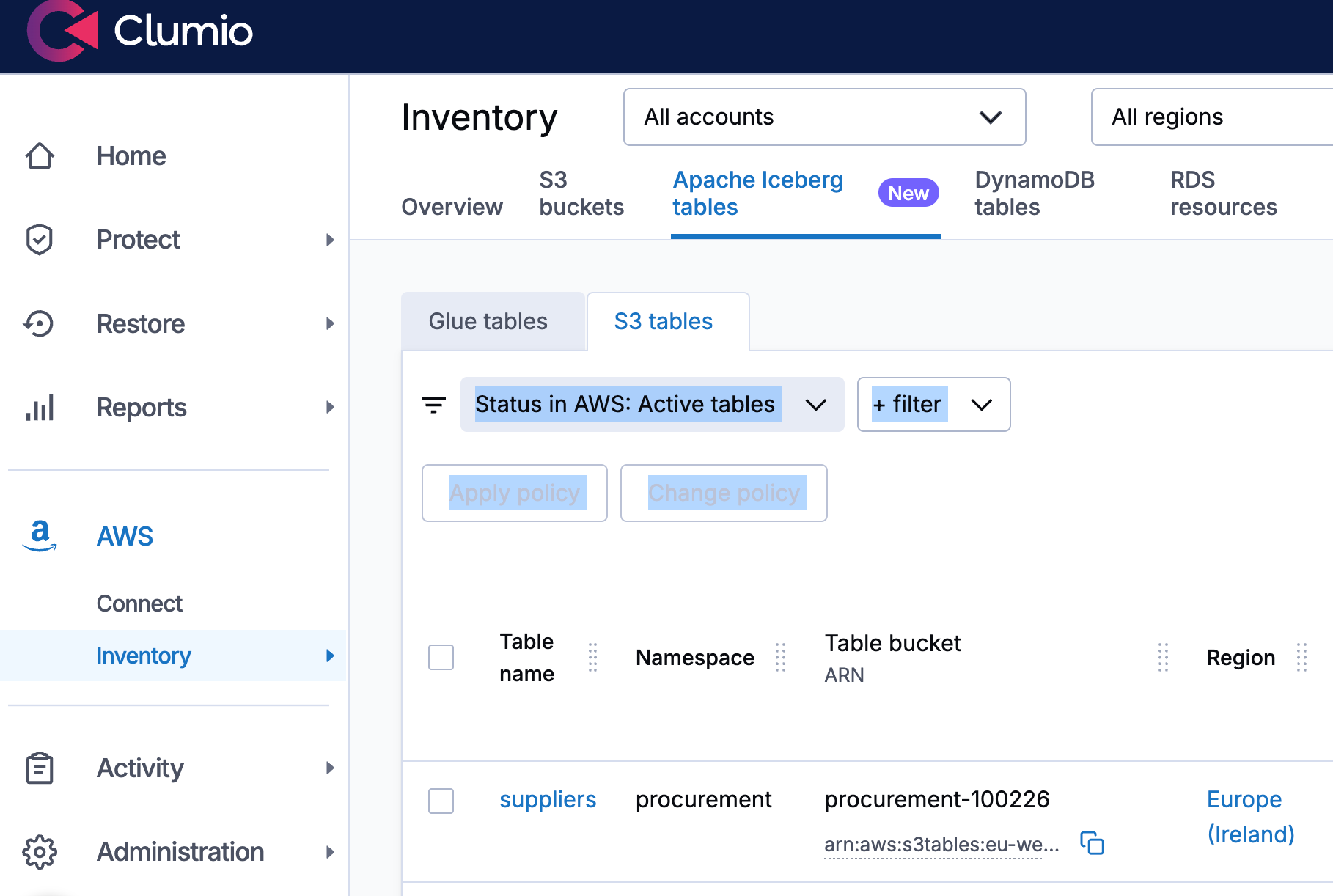
After refreshing the inventory is updated showing the newly created table
Creating a Backup Policy
4) Next, create a backup policy by navigating to Protect, Backup policies, Create.
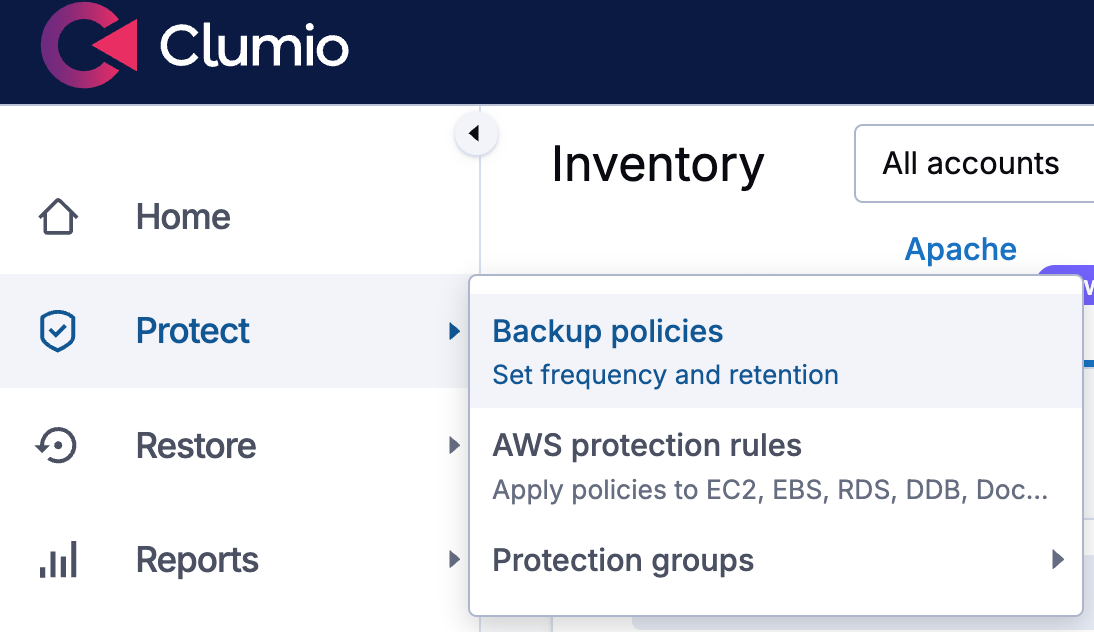
Create a new backup policy
A backup policy is used to define the backup frequency, retention settings, and backup destination.
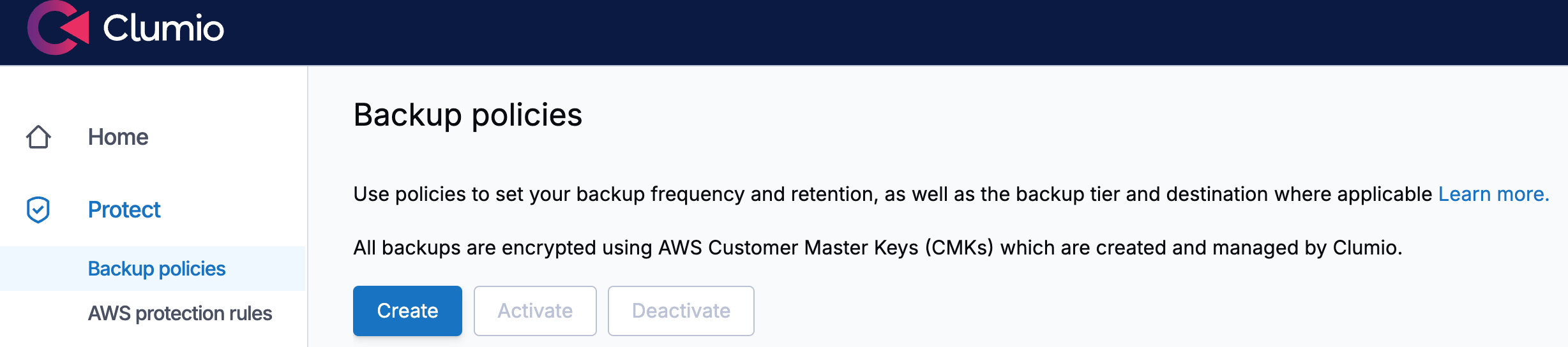
All backups are encrypted using AWS CMKs, which are managed by Clumio
5) Type a name for the new policy, e.g., prod-iceberg, and select the asset type of Apache Iceberg.
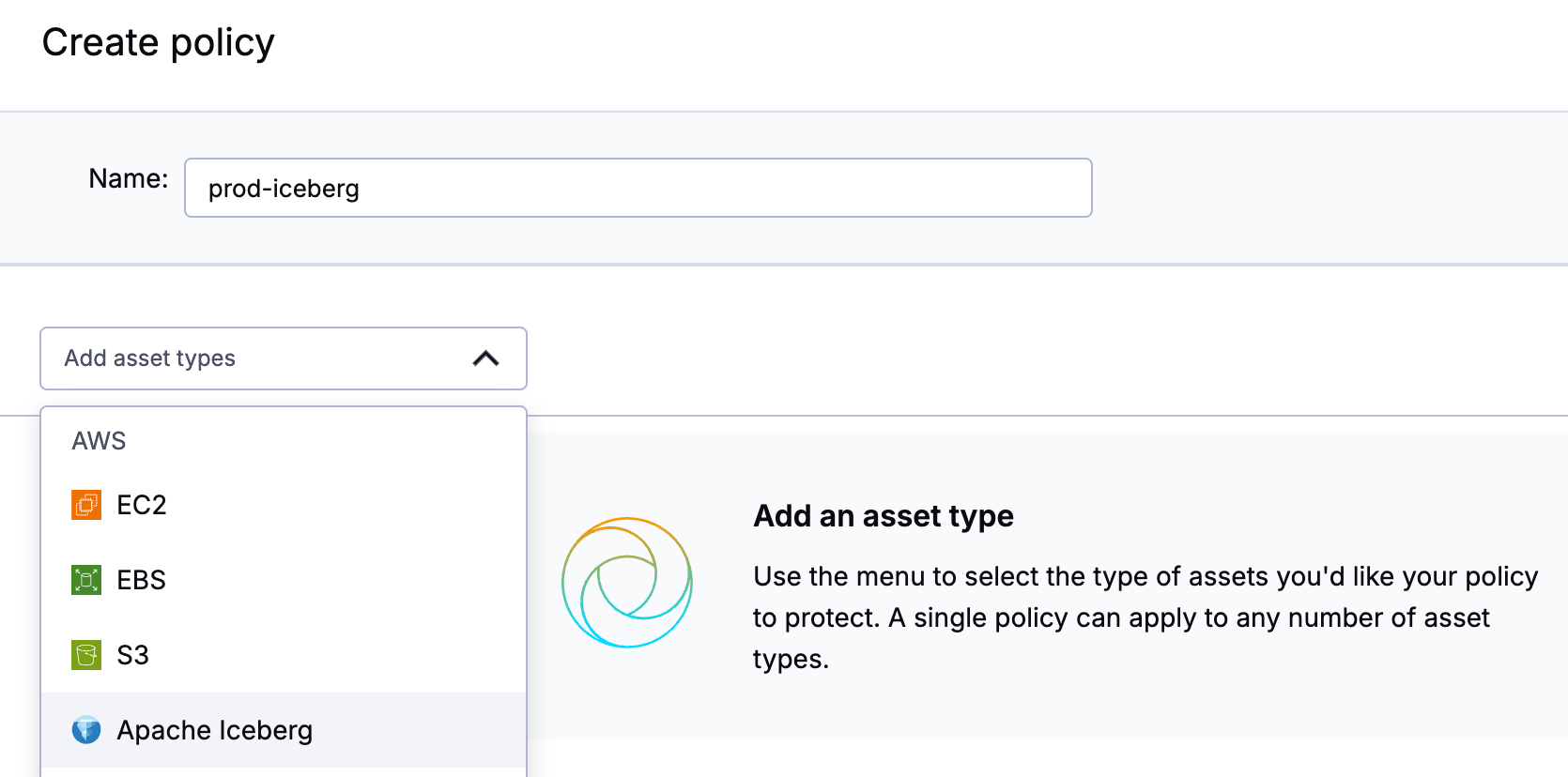
The policy will apply to Apache Iceberg asset types
6) Next, configure the backup schedule and retention settings. In this example, the policy will perform an in-region backup every day, and each backup will be retained for 12 months. Backups will start at 8 p.m.
After making the required selections, save the policy.
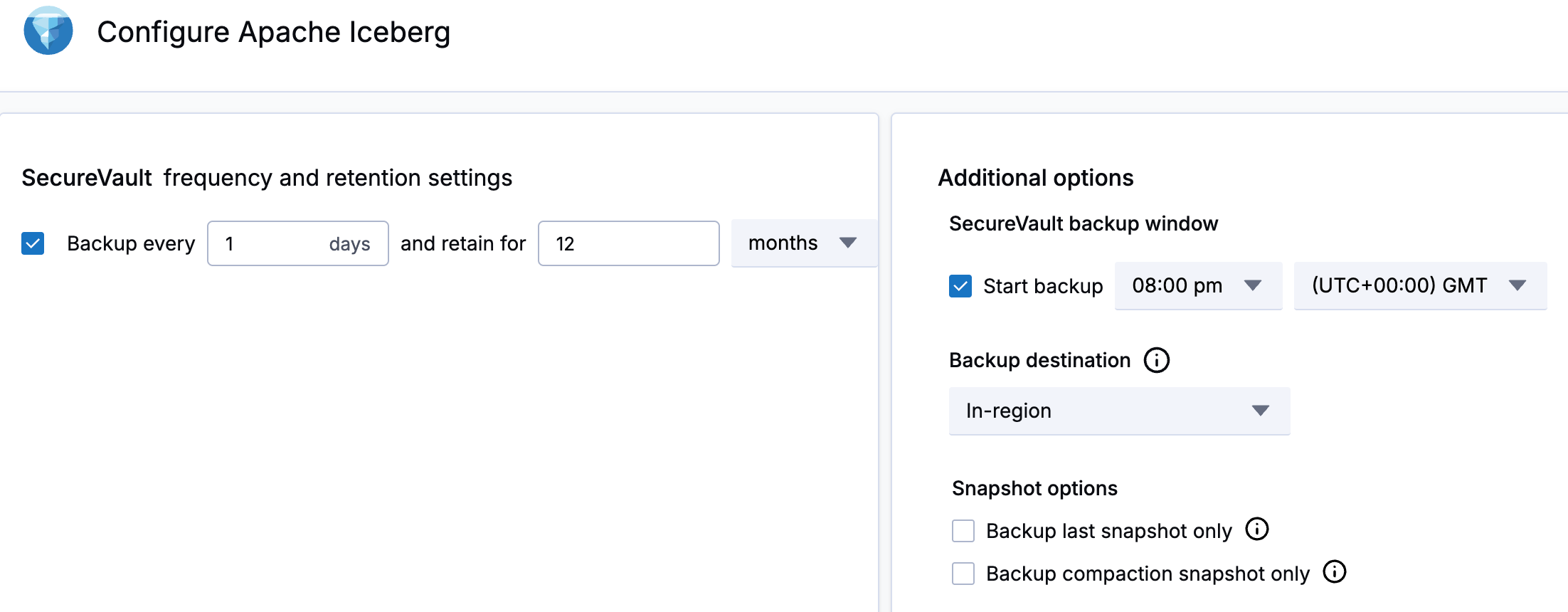
Configure backup settings
Applying a Policy
7) After the policy is saved, back in the S3 Tables inventory, select the table and click Apply policy to attach the policy.
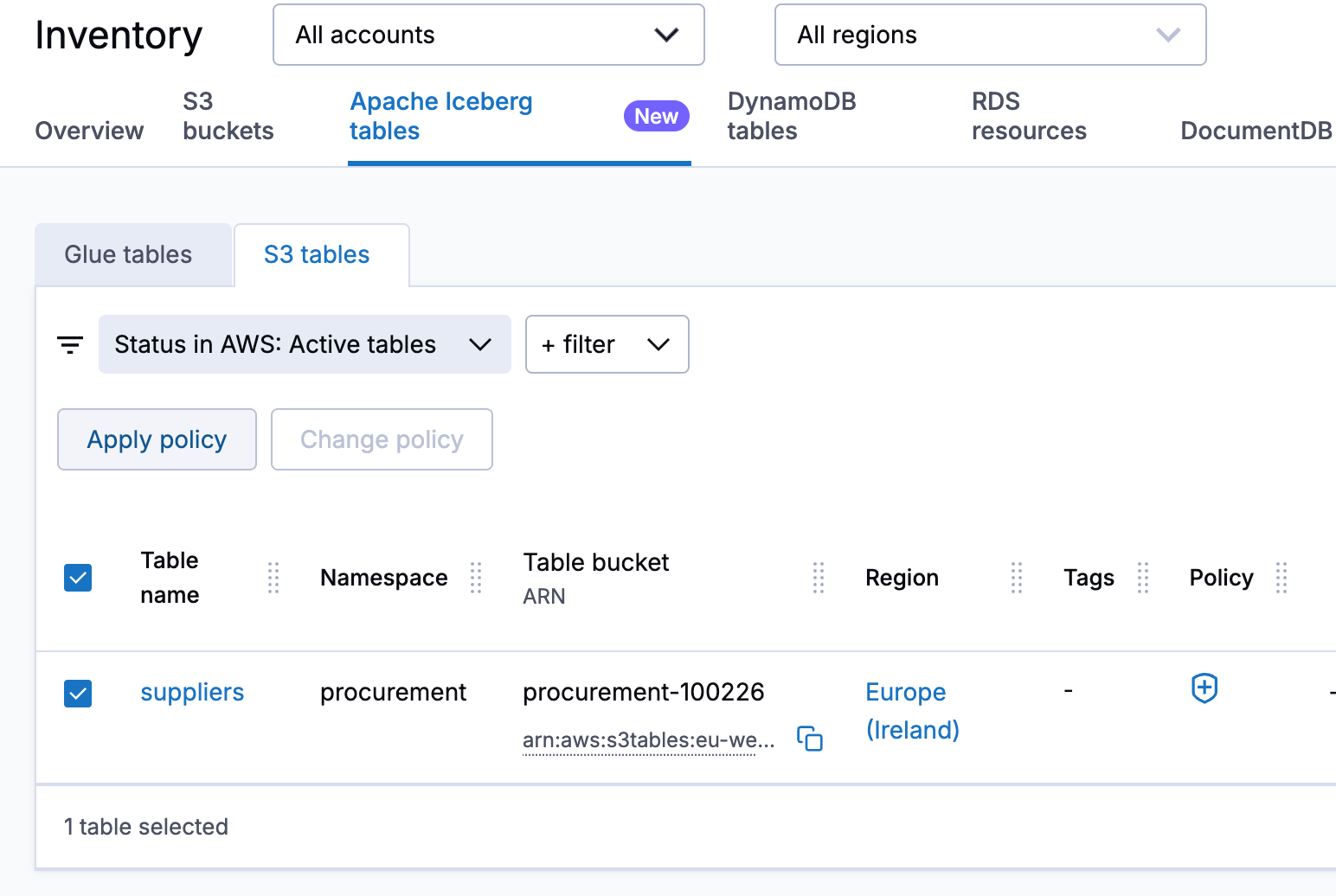
Select the table from the inventory view
8) After clicking Apply policy, select the policy to attach, and again click Apply policy.
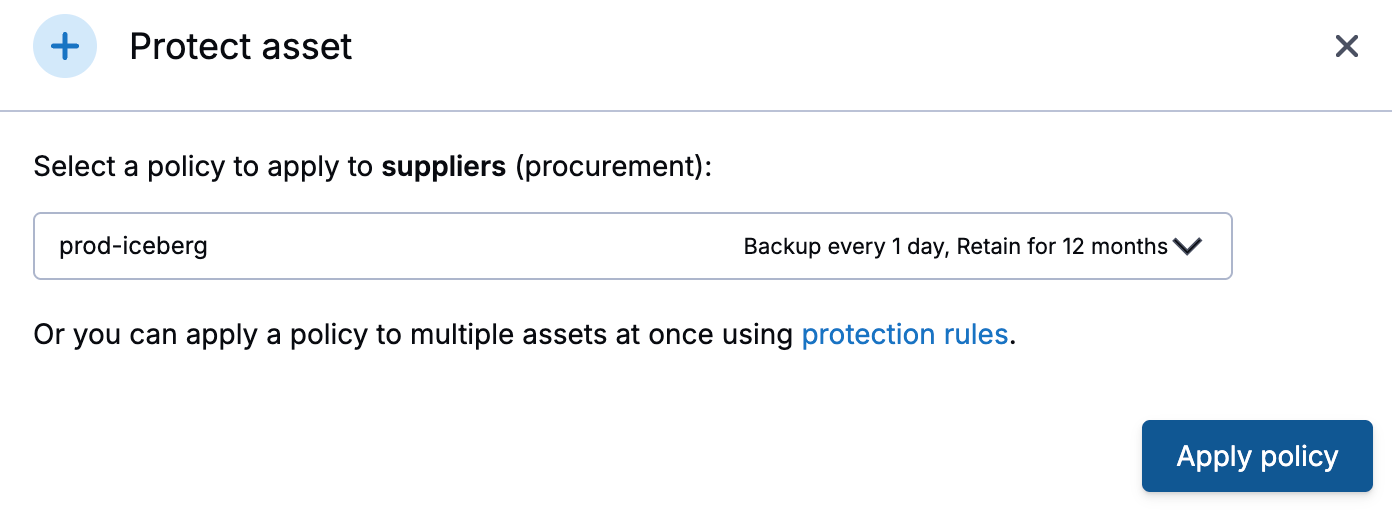
Apply the selected policy
9) After that you can view the queued backups in the Tasks section of the Clumio console. Initially, the backup task will show as queued.
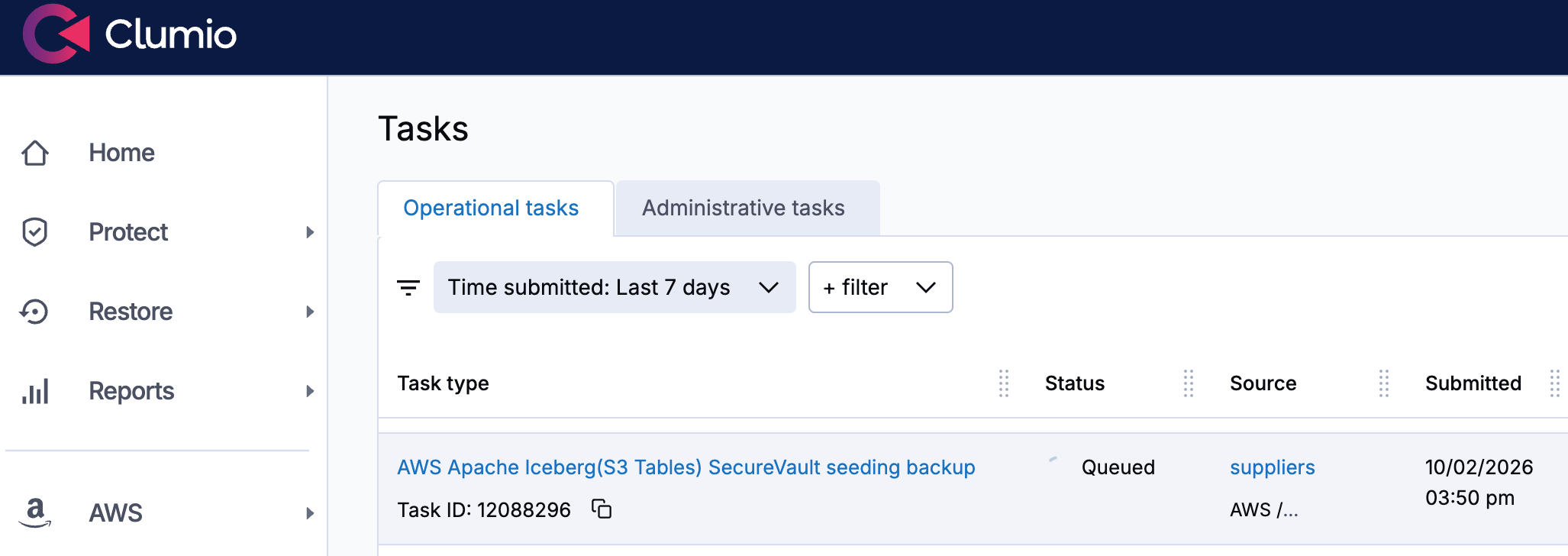
The initial backup job is queued
10) After the first backup is completed, the backup status changes to Success.
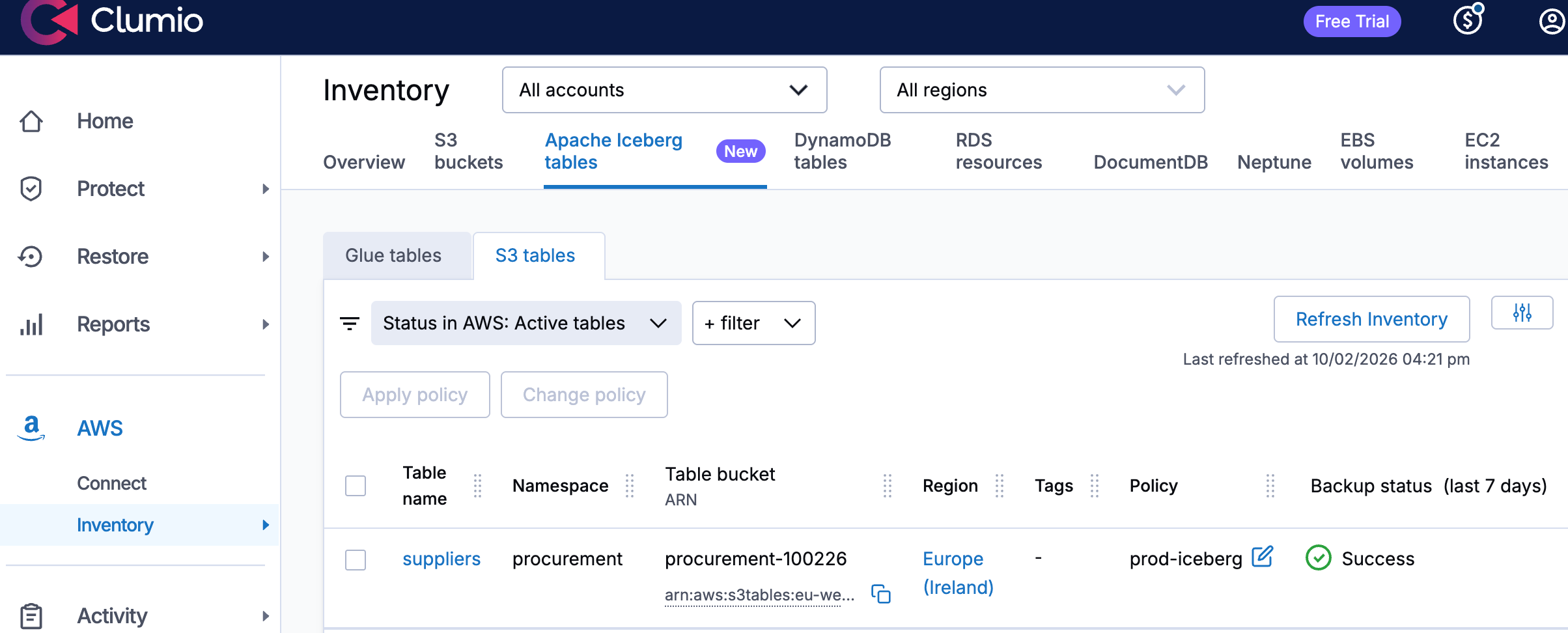
The initial backup job is successfully completed
Restoring Data
1) To perform a restore, click on the table name from the inventory view, to display the backup calendar. A blue dot indicates that a successful backup was completed on a particular day.
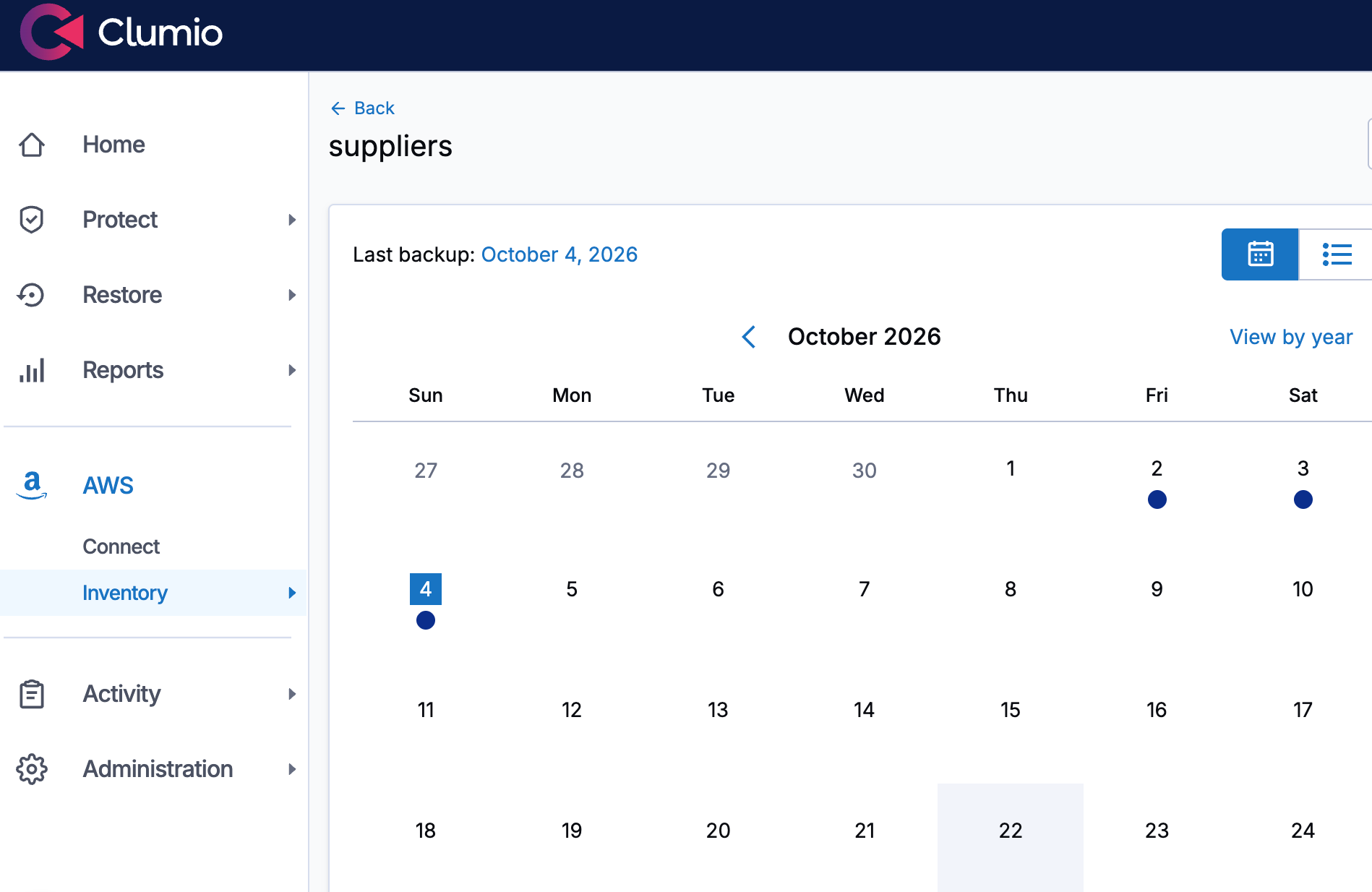
Each day that shows a dot has a successful backup that can be used to perform a restore
2) Select a date from the calendar to begin the restore.
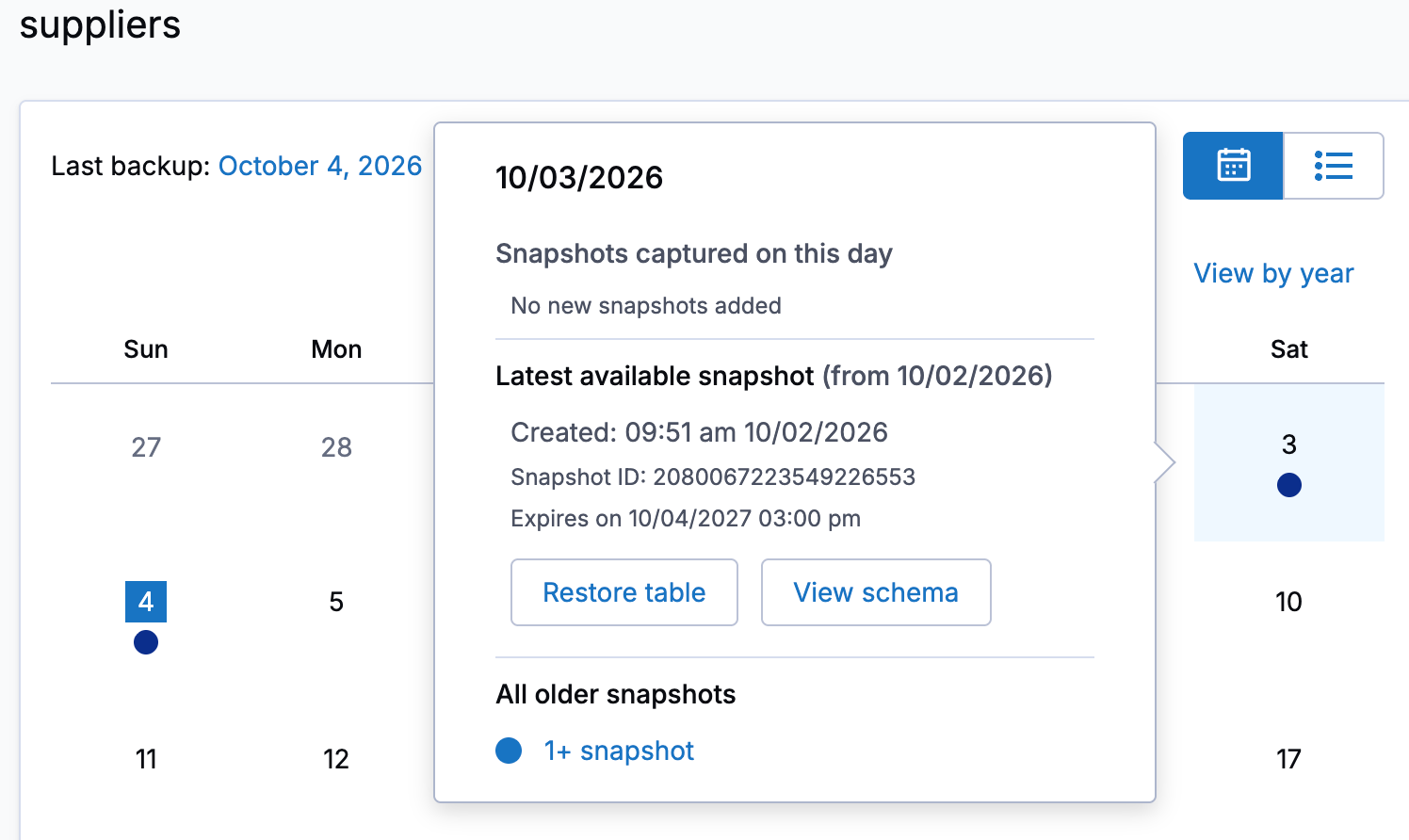
Select a date to restore a table
3) At this point you can also view the table schema by clicking View schema.
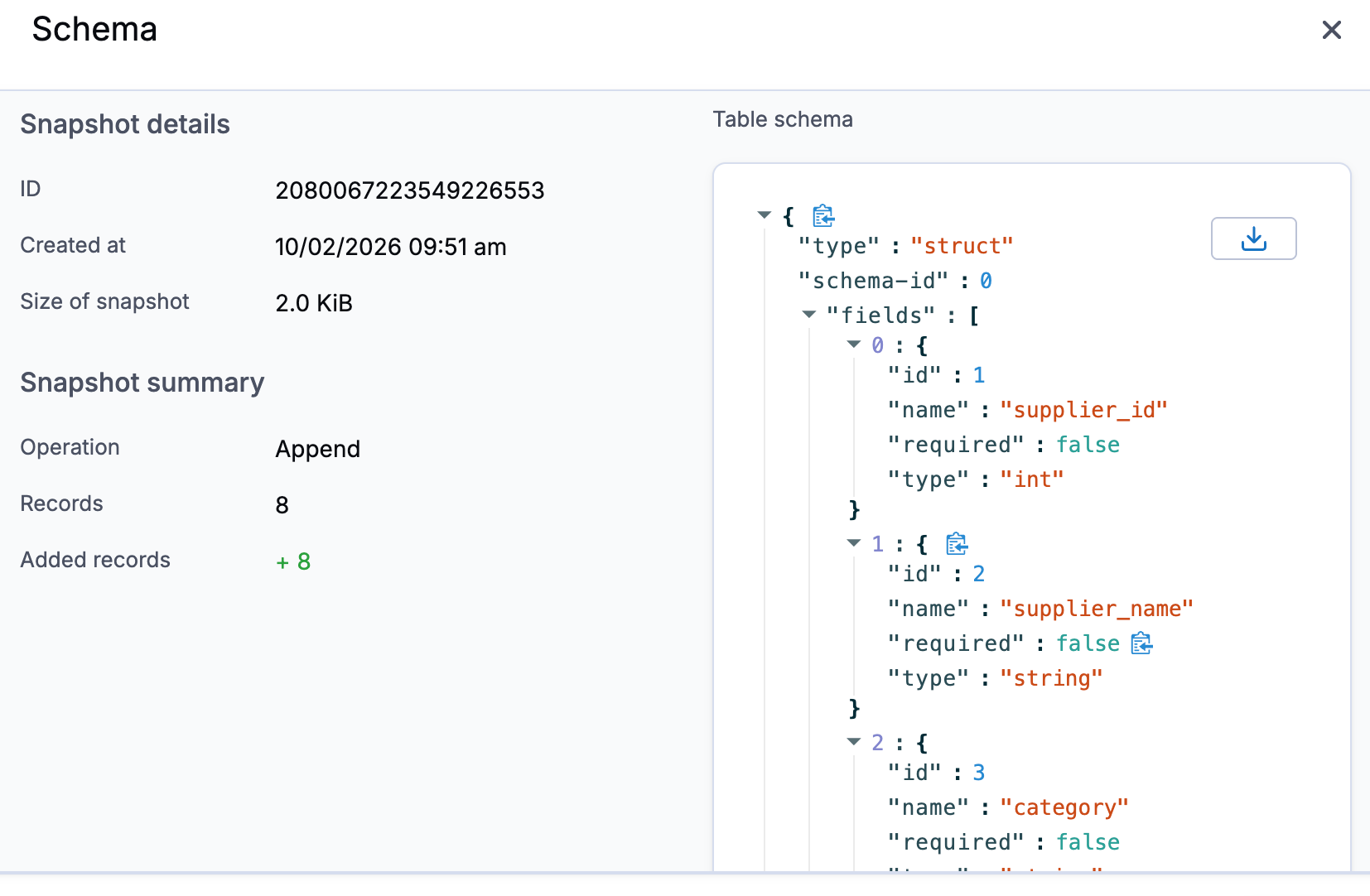
View table schema
4) After closing the schema view, select the date again and click Restore table, then choose to restore to the same table or a different account, region, or table.
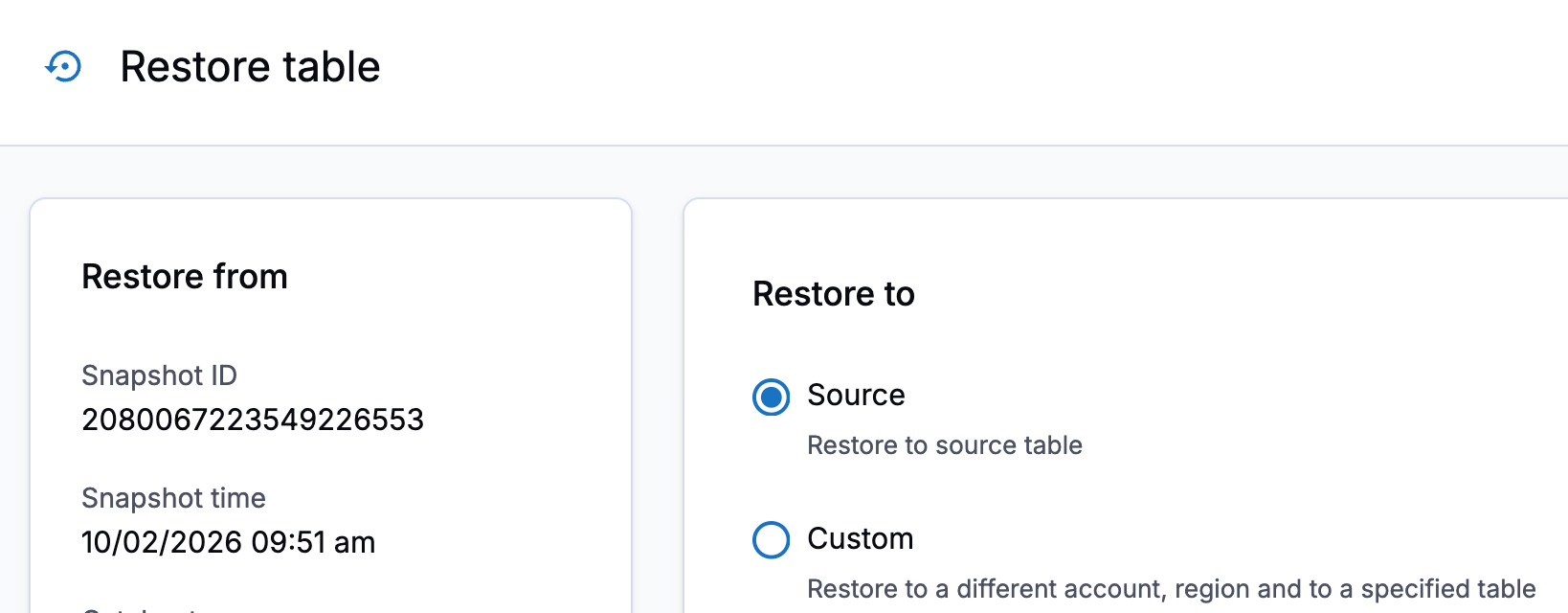
Restore to the same table or a different account, region, or table
5) Click Custom to restore to a custom table and select the required options. In this example, I’ll restore to a new table in the same AWS account and region. After configuring the options, click Restore.
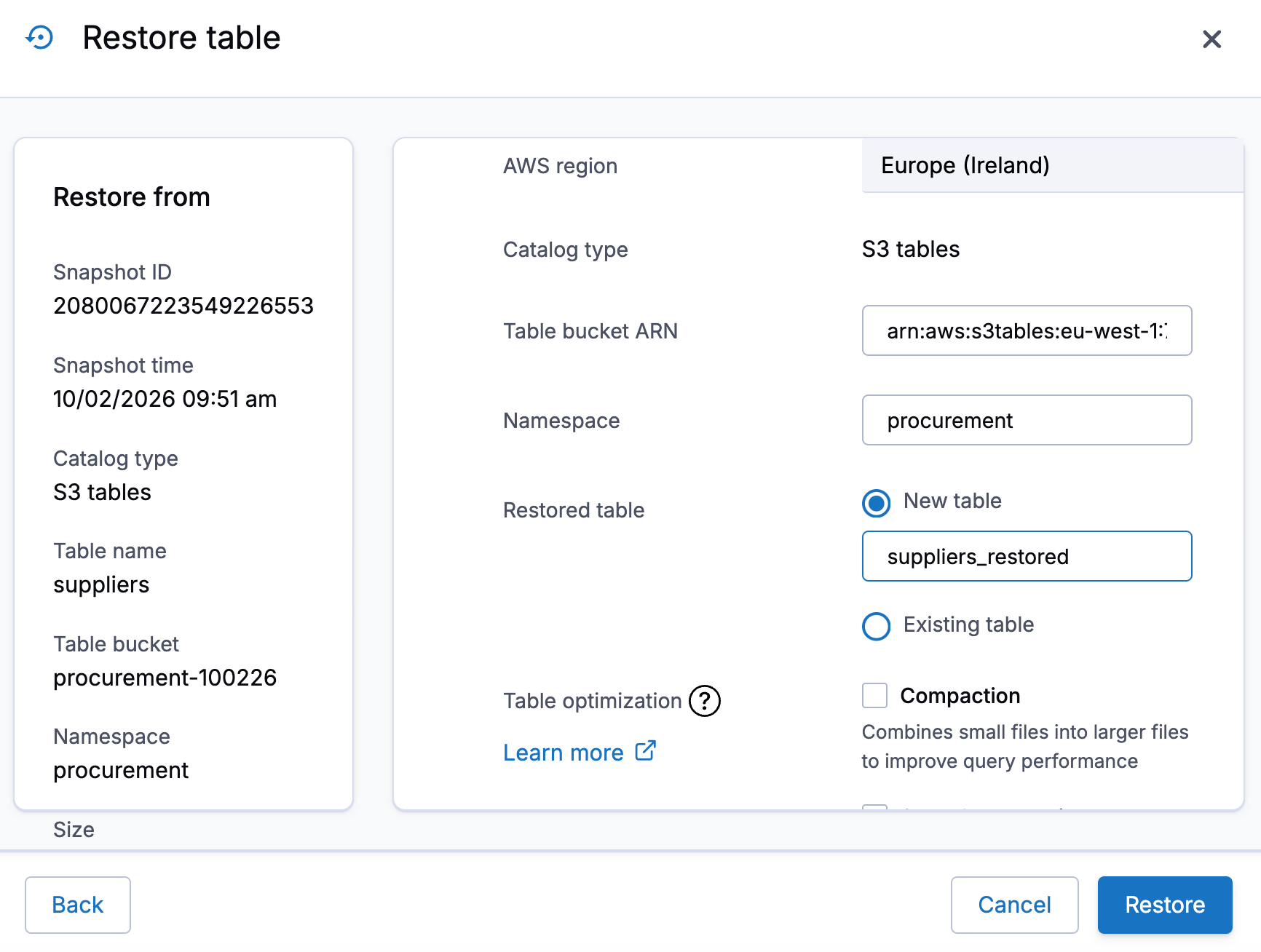
Configure the restore options
6) Track the progress of the restore in the Tasks view, and when it shows as completed, the new table will appear in the specified AWS account.
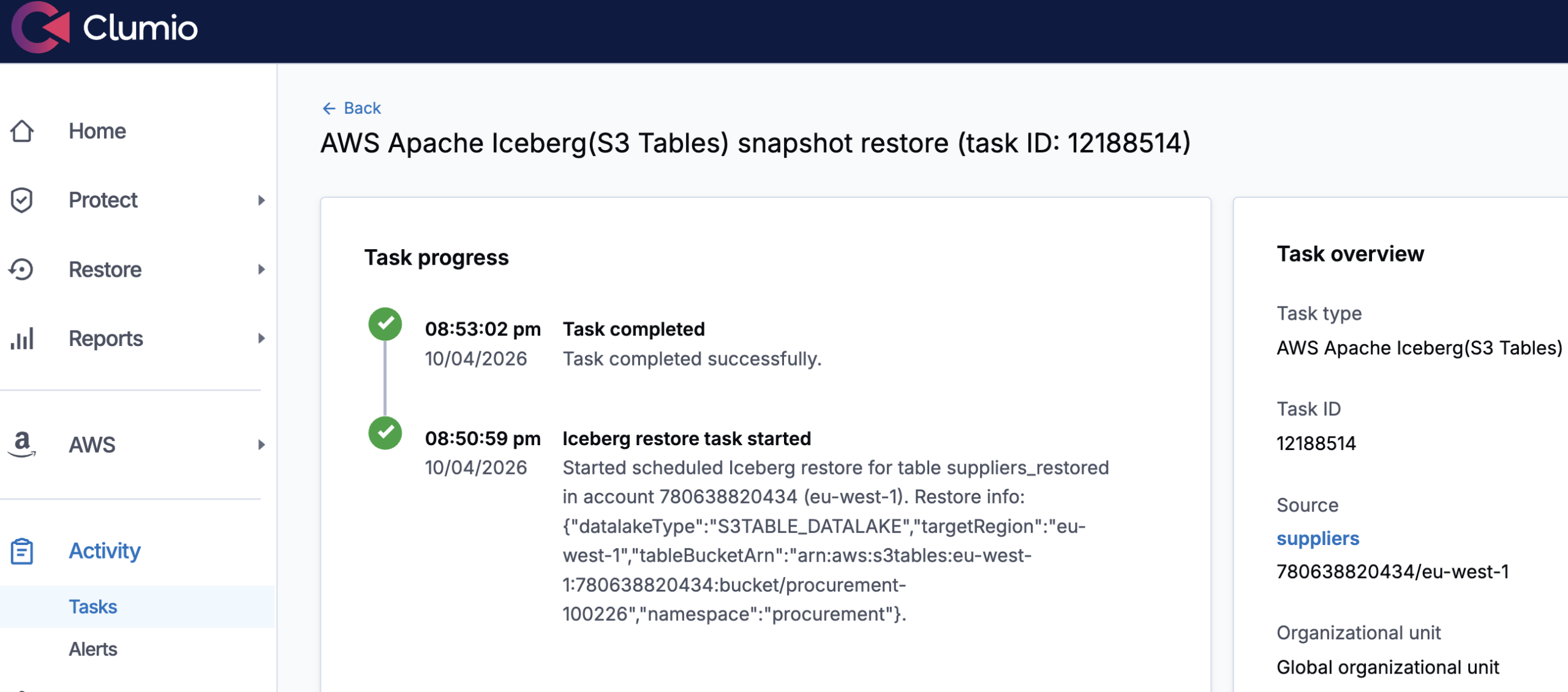
The restore is complete
7) Check that the table is successfully restored by navigating to S3 Table buckets in the AWS console.
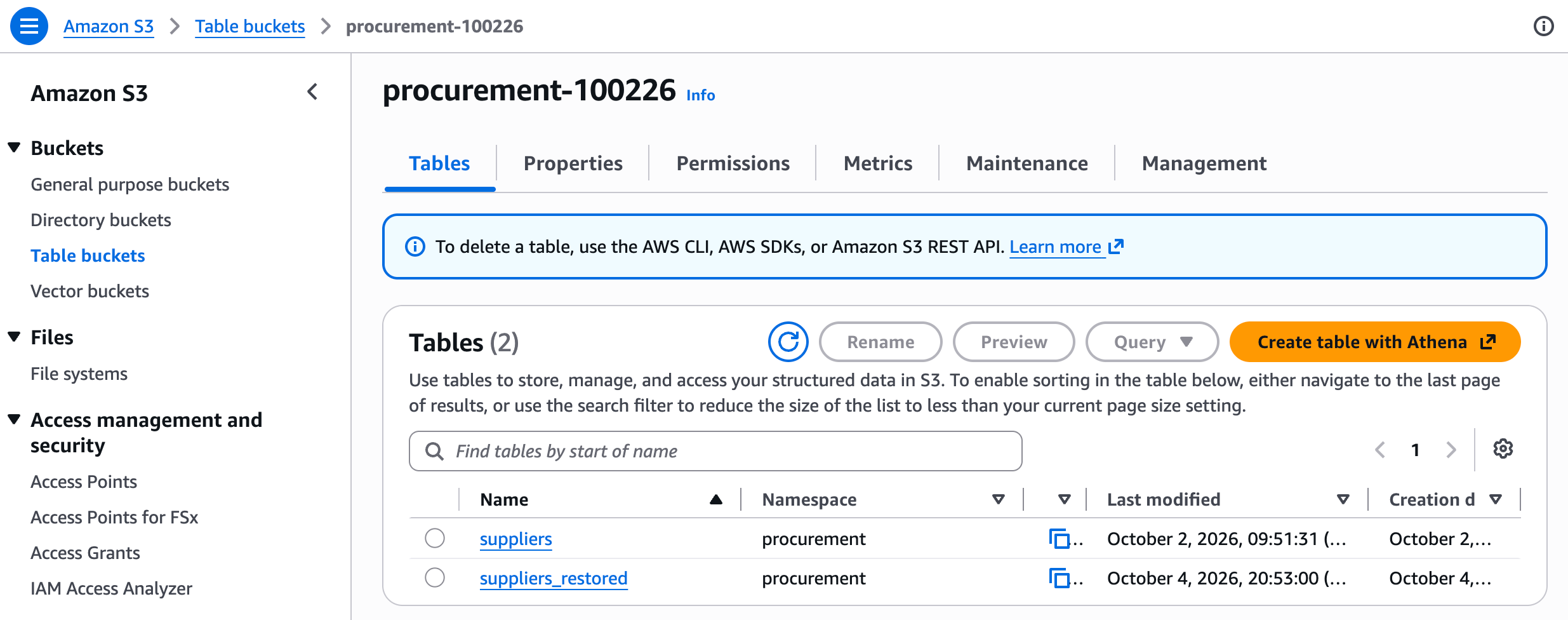
The restored table in AWS
8) Using Athena, run a simple SQL query to check that the data has been properly restored.
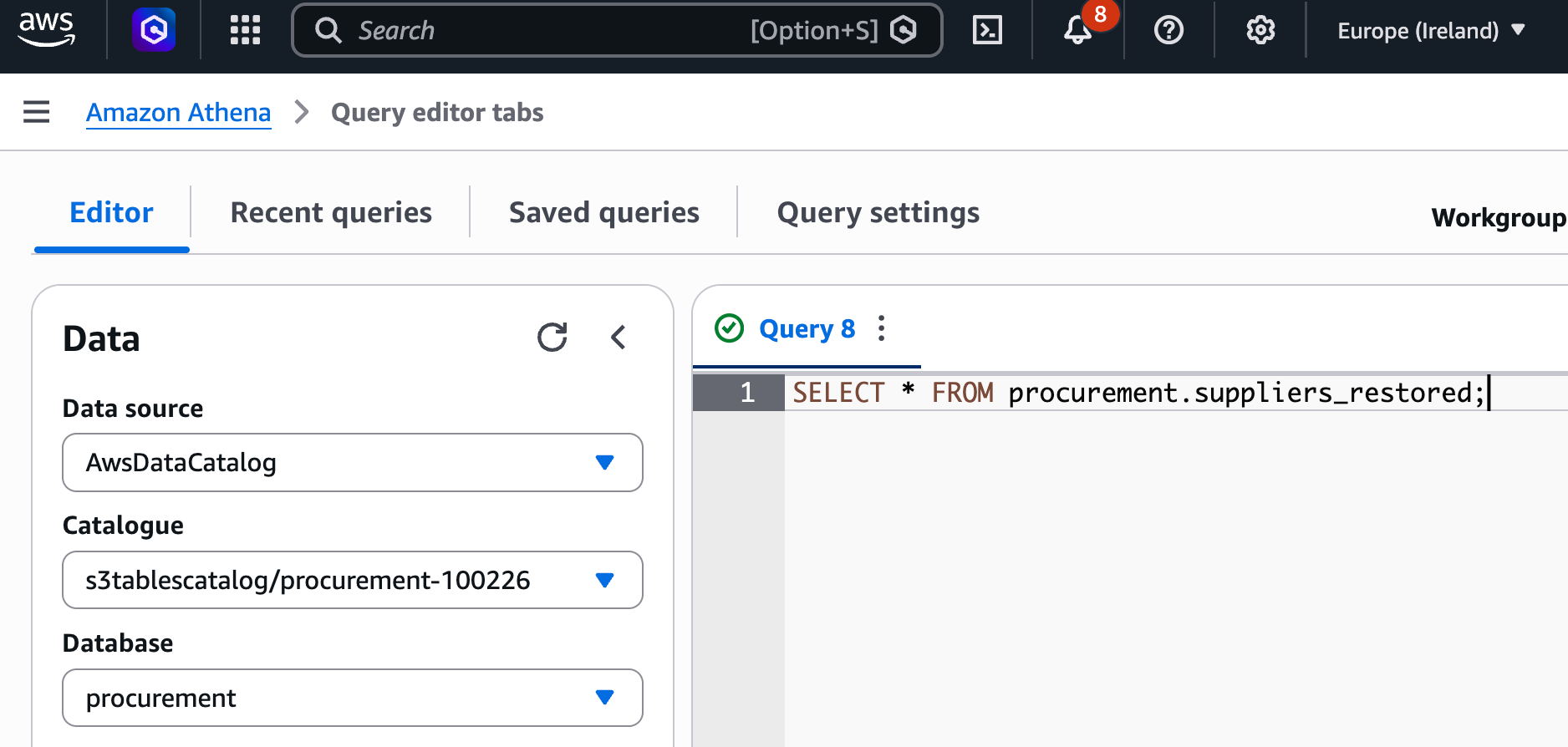
Use a simple query to check the restored data
9) The query results in this example show that the data has been restored successfully and no manual steps are required to rebuild table metadata.
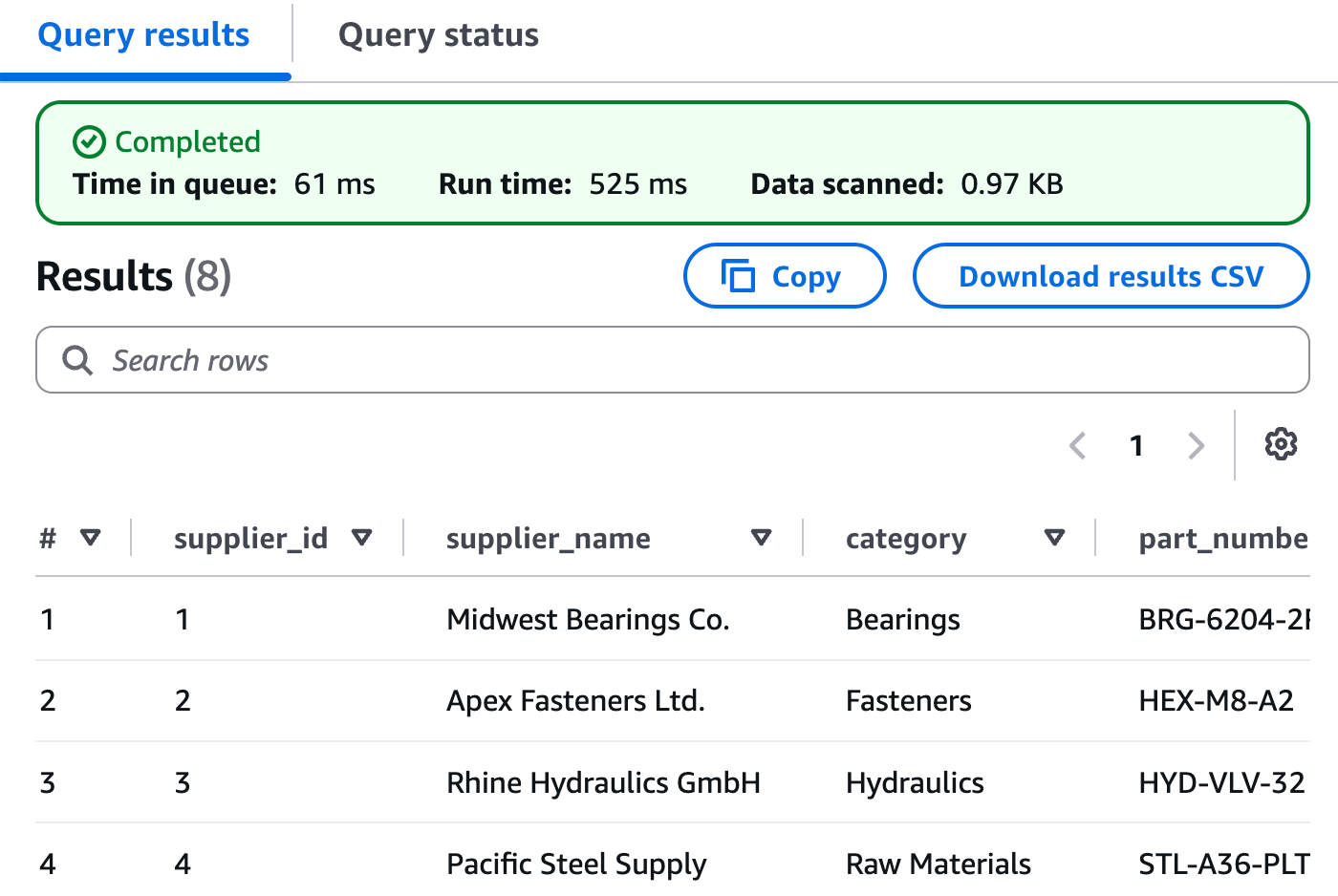
The data has been successfully restored
Simple Air-Gapped Backups and Iceberg-Aware Recovery
As Iceberg environments grow and more organizations use Iceberg tables for business-critical analytics and AI workloads, the economics of protecting them become increasingly important. Clumio is designed to help protect massive-scale cloud data efficiently, using an incremental-forever backup approach that reduces unnecessary data movement and helps lower the ongoing cost of protection.
At an operational level, Clumio is designed to make backup and restore of Iceberg tables easy. More than simply backing up a collection of objects in S3, Clumio takes into account the structure of the Iceberg table and helps protect the data, metadata, manifests, and snapshots so they can be recovered consistently, with no manual or minimal intervention required.
Clumio’s immutable, air-gapped backups and Iceberg-aware recovery help you maintain a separate, clean recovery point from which to quickly restore if an Iceberg table is accidentally deleted, corrupted, or affected by a cyberattack.
To get started today, request a demo or two-week free trial.
Frequently Asked Questions
Why is backing up Apache Iceberg tables more complex than backing up Amazon S3 objects?
Apache Iceberg tables depend on interconnected metadata, manifests, snapshot history, and catalog references, in addition to the underlying data files. If those components become inconsistent or are recovered separately, the table may not be usable even when the underlying data has been restored. Effective recovery is about preserving the table state as a consistent unit.
What risks do organizations face if Iceberg table metadata is not protected?
Metadata acts as the control layer that tells analytics engines where data resides and which version of the table is current. If metadata is lost, corrupted, or out of sync with the data catalog, organizations may experience downtime, data access failures, and extended recovery efforts. This can disrupt analytics, AI initiatives, and business decision-making.
How do air-gapped backups help improve cyber resilience for data lake environments?
Air-gapped backups create an independent recovery copy that remains isolated from the production environment. This helps organizations recover from ransomware, accidental deletion, insider threats, and data corruption without relying on potentially compromised production systems. The result is stronger business continuity and reduced recovery risk.
Why are transactionally consistent recoveries important for enterprise analytics platforms?
Transactional consistency helps data, metadata, manifests, and snapshots reflect the same point in time during recovery. This helps reduce the likelihood of incomplete restores, broken table references, or data integrity issues. Consistent recovery helps organizations restore critical analytics workloads faster and with greater confidence.
What should organizations consider when developing an Iceberg backup and recovery strategy?
Organizations should evaluate metadata protection, retention policies, geographic recovery options, cyber resilience requirements, and recovery objectives. They should also make sure their backups can restore table state rather than individual files. A comprehensive strategy helps reduce operational risk and support governance requirements.
How does Iceberg data protection help support AI and business intelligence workloads?
AI, machine learning, and analytics platforms depend on reliable access to accurate historical and current data. Consistent backup and recovery capabilities help maintain data integrity, reduce downtime, and preserve critical datasets used for model training and business reporting. This helps support long-term operational resilience and data-driven decision-making.
Faye Ellis is Principal Training Architect – AWS at Pluralsight.
Explore CloudRecover for Amazon EC2 and EBS
Ready to simplify your Amazon EBS backup strategy while reducing costs and improving recovery speed?
Stay current on cloud recovery
New posts on recovery engineering, product updates, and practitioner stories — no marketing fluff.
By subscribing you agree to the privacy policy. Unsubscribe anytime.